Creating QR Codes or Micro QR Codes
Segno’s (Micro) QR Codes are independent of a concrete output format; it’s possible to create more than one rendering (output format) from a single QR Code or Micro QR Code:
>>> import segno
>>> qr = segno.make('Henry Lee')
>>> qr.save('henry-lee.svg')  # SVG document
>>> qr.save('henry-lee.png')  # PNG image
>>> qr.save('henry-lee.eps')  # EPS document
>>> qr.save('henry-lee.txt')  # Text output
By default, the serialized (Micro) QR Codes are black and have a quiet zone
(border) of four (or two for Micro QR Codes) light modules. Nearly all output
formats provide options to change at least the scale of the code, the color,
and border, see segno.QRCode.save() and QR Code and Micro QR Code serialization for details.
>>> import segno
>>> qr = segno.make('You Know My Name (Look Up The Number)')
>>> qr.save('you-know-my-name-no-border.svg', border=0)  # no border / quiet zone
>>> qr.save('you-know-my-name-color-green.svg', dark='green')  # default border, dark modules are green
>>> qr.save('you-know-my-name-background-grey.svg', light='#eee')  # default border, background grey
The factory function segno.make() chooses the minimal possible (Micro) QR Code
version with a maximal error correction for the provided input.
>>> import segno
>>> qr = segno.make('Rain')
>>> qr.version
'M3'
The caller may enforce that a QR Code instead of a Micro QR Code should be generated even if the content may fit into a Micro QR Code.
>>> import segno
>>> qr = segno.make('Rain', micro=False)
>>> qr.version
1
Further, Segno provides two additional factory functions to enforce the creation
of QR Codes or Micro QR Codes: segno.make_qr() for QR Codes and
segno.make_micro() to create Micro QR Codes:
>>> import segno
>>> mqr = segno.make_micro('The Beatles')  # Micro QR Code
>>> mqr.designator  # Get the version and error level
'M4-M'
>>> qr = segno.make_qr('The Beatles')  # Same content but as QR Code
>>> qr.designator
'1-Q'
>>> qr = segno.make('The Beatles', micro=False)  # Disallow Micro QR Codes
>>> qr.designator
'1-Q'
If the provided content is too large, a ValueError is thrown:
>>> import segno
>>> qr = segno.make_micro('The Curse of Millhaven')
Traceback (most recent call last):
    ...
ValueError: Data too large. No Micro QR Code can handle the provided data
Version
It’s possible to specify the desired version for the provided content.
>>> import segno
>>> qr = segno.make('Light My Fire')
>>> qr.version
'M4'
>>> qr.designator
'M4-M'
>>> qr = segno.make('Light My Fire', version=1)
>>> qr.version
1
>>> qr.designator
'1-M'
Error Correction Level
By default, Segno uses at minimum the error correction level “L” to encode the (Micro) QR Code.
Segno tries by default to enhance the provided error correction level if
boost_error was not set to False;
it takes the error level as minimum error level without changing the
(Micro) QR Code version.
If this behaviour is not desired, boost_error
must be set to False (default: True).
Use the parameter error to change the (minimum)
error correction level.
The error parameter is case-insensitive. Available error correction levels are
L (lowest error correction level), M, Q and H (highest error
correction level). The error correction level “H” is not available for Micro QR Codes,
if the user specifies the error correction level “H”, a QR Code is generated by
segno.make(), never a Micro QR Code.
>>> import segno
>>> qr = segno.make('Parisienne Walkways', error='l')  # Explicit (minimum) error correction level
>>> qr.designator # The error correction level was changed to "Q" since there was enough available space
'2-Q'
>>> qr = segno.make('Parisienne Walkways', error='l', boost_error=False)  # Explicit error level
>>> qr.designator
'2-L'
>>> # Enhancing the error correction level may enforce another QR Code version
>>> qr = segno.make('Parisienne Walkways', error='H')
>>> qr.designator
'3-H'
Data Masking
Segno chooses by default an optimal mask for the provided input, but the user may specify the preferred mask as well. QR Codes support 8 mask patterns, while Micro QR Codes support 4 mask patterns, only.
>>> import segno
>>> qr = segno.make('Ai Du')
>>> qr.mask
0
>>> qr = segno.make('Ai Du', mask=3)
>>> qr.mask
3
Micro QR Code with different data masks
M3-M codes encoding “Ai Du” with the four different masks:

Micro QR Code using data mask pattern 00 (mask=0)

Micro QR Code using data mask pattern 01 (mask=1)

Micro QR Code using data mask pattern 10 (mask=2)

Micro QR Code using data mask pattern 11 (mask=3)
QR Code with different data masks
1-H codes encoding “Ai Du” using the eight different mask patterns:
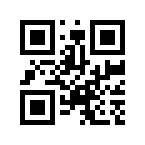
QR Code using data mask pattern 000 (mask=0)
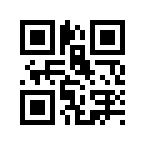
QR Code using data mask pattern 001 (mask=1)
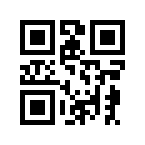
QR Code using data mask pattern 010 (mask=2)
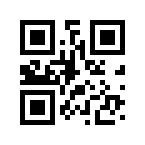
QR Code using data mask pattern 011 (mask=3)
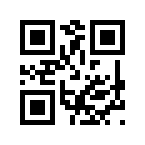
QR Code using data mask pattern 100 (mask=4)
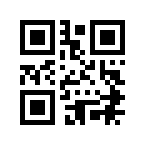
QR Code using data mask pattern 101 (mask=5)
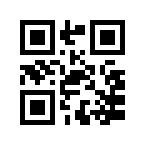
QR Code using data mask pattern 110 (mask=6)
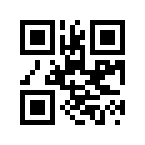
QR Code using data mask pattern 111 (mask=7)